URLs to Clipboard
Copy URLs from selected tabs to your clipboard in one click. Perfect for pasting into spreadsheets, documents, or sharing with others.
Simple, fast, and privacy-focused. No account required.
Copy URLs the easy way
Select specific tabs
Hold Ctrl/Cmd and click to select exactly which tabs you want to copy. Only grab the URLs you need.
Copy all in one click
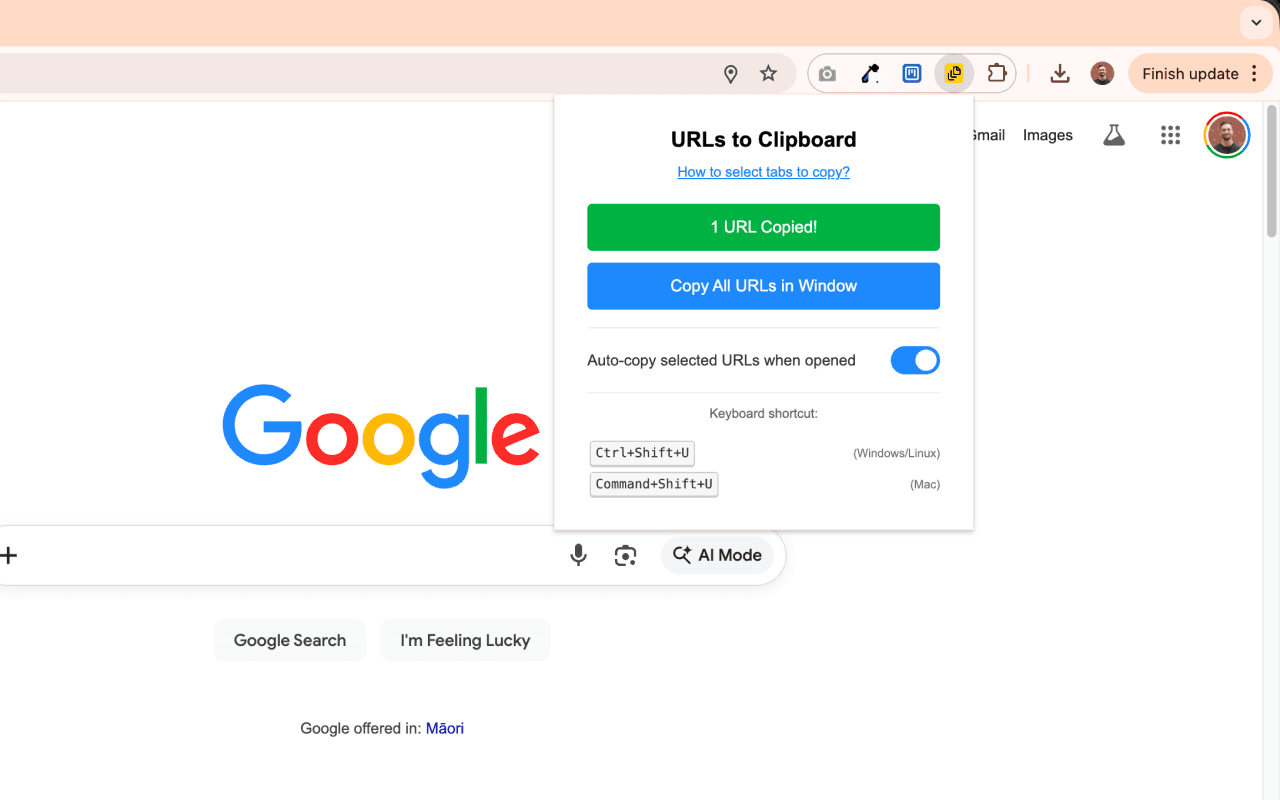
Copy all URLs from the current window with a single button. Great for saving your research sessions.
Keyboard shortcut
Press Ctrl+Shift+U (or Cmd+Shift+U on Mac) to instantly copy selected tab URLs without opening the popup.
Auto-copy on open
Enable auto-copy to automatically copy selected URLs when you click the extension icon. Zero extra clicks.
Spreadsheet ready
Each URL is placed on a separate line, perfect for pasting directly into Excel, Google Sheets, or any text editor.
Privacy focused
Your URLs never leave your browser. No data collection, no tracking, no accounts. 100% local.
How to select tabs
Select individual tabs
Hold Ctrl (Windows/Linux) or Cmd (Mac) and click on each tab you want to select.
Select a range of tabs
Click the first tab, then hold Shift and click the last tab to select everything in between.
Frequently Asked Questions
What is URLs to Clipboard?
URLs to Clipboard is a simple Chrome extension that lets you copy the URLs of your selected browser tabs to your clipboard. It's perfect for saving links to a spreadsheet, sharing multiple URLs at once, or keeping track of your research.
Is my data safe?
Yes. The extension runs entirely in your browser. Your URLs are copied directly to your clipboard and are never sent to any server. We don't collect any data whatsoever.
What's the keyboard shortcut?
Press Ctrl+Shift+U on Windows/Linux or Cmd+Shift+U on Mac to instantly copy your selected tab URLs. You can also customize this shortcut in Chrome's extension settings.
Can I copy all tabs at once?
Yes! Click the 'Copy All URLs in Window' button to copy every tab in your current browser window, regardless of selection.
Is it free?
Yes, URLs to Clipboard is completely free to use. No premium features, no subscriptions, no hidden costs.
Create website widgets with
 Google Sheets or
  Airtable
URLs to Clipboard is built by the team behind Shareables, the easiest way to create websites from your Google Sheets or Airtable data. No coding required.
Learn More →